
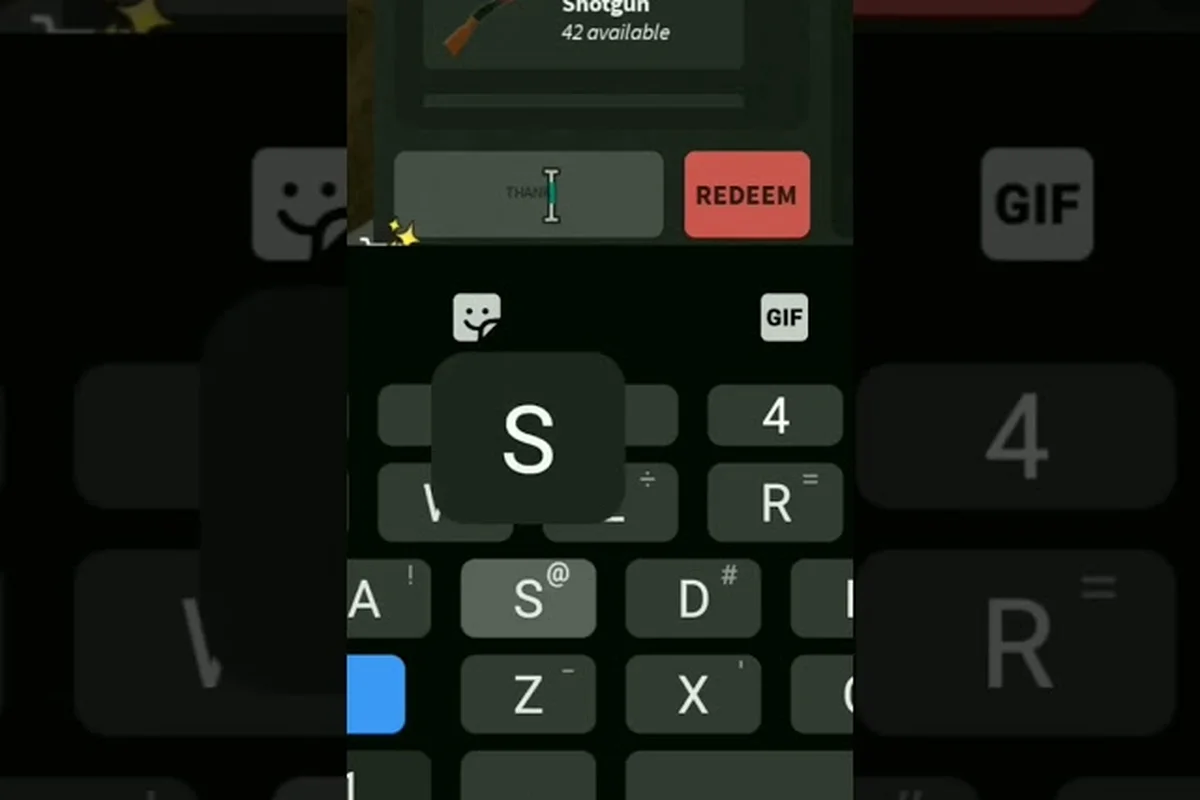
Players typing in a code and getting a "Code not found" or "Code expired" popup is one of the most common frustrations inside Da Hood. The game runs on a constant drip of limited-time strings tied to holiday events, update drops, and creator partnerships, and every single one of those strings has a hidden expiration timer running from the moment it goes live. When a string stops working, it is almost never a bug on your end — it is the lifecycle of the code itself, your account state, or a simple input mistake that the redemption box does not bother explaining.
This guide covers every reason a Da Hood code might fail, the exact steps to confirm whether a string is dead or just being entered wrong, and a clean reference of which old strings to stop wasting time on. If a free cash code or a holiday drop reward keeps refusing to go through, the answer is somewhere in the section below.
Why Da Hood Codes Stop Working in the First Place
Every code that lands in the game is born with a built-in shelf life. Developers retire old strings the moment a new event wave lands, a patch closes out, or a creator partnership rotates. That means the code list you bookmarked two months ago is already a graveyard by the time you re-open it.
The Three Types of Code Failure
A failed redemption falls into one of three buckets, and each one looks slightly different inside the input box. Knowing which bucket you are in is the difference between fixing the problem in ten seconds and wasting twenty minutes retyping the same string.
| Failure Type | What the Box Says | Why It Happens | Fixable? |
|---|---|---|---|
| Expired code | "Code not found" or silent reject | Devs retired the string after an event ended | No — replace with current codes |
| Typo or format error | "Invalid code" or "Code not found" | Wrong character, missing cap, extra space | Yes — re-enter carefully |
| Server-side redemption | "Already redeemed" or silent no-op | One-time-per-account strings already claimed on this profile | No — tied to account history |
How Devs Rotate the Code Pool
Community wikis and the Da Hood codes list on the official Roblox page confirm that the code pool rotates on three trigger points: holiday events (Halloween, Winter, Summer), major version updates, and creator milestone drops. Between those windows, a string is usually live for two to six weeks before it goes dark. That is why the September 2026 wave looks almost nothing like the May 2026 wave — most of those older strings are now completely dead and will return the "Code not found" error no matter how cleanly you type them.
The Exact Redemption Path (And Where Most Players Slip Up)
Before assuming a code is expired, run through the actual redemption process one more time. Roughly a third of the "not working" reports in the community trace back to a missed step in the input flow rather than a dead string.
Step-by-Step Redemption Walkthrough
Because Da Hood loads as a Roblox client-side experience rather than a browser portal, every active code — including the September 2026 free items codes — must be entered through the in-game Codes panel, not the Roblox avatar shop or any third-party wiki redirect; missing that distinction breaks the redemption pipeline before the string ever reaches the server validator, which is why so many players hit a silent "nothing happens" state when a code is technically valid.
-
Launch Da Hood from your Roblox library and wait for the main map to fully load.
-
Tap the Menu icon on the top-left of the screen (three horizontal bars).
-
Scroll to the Codes button on the left-hand sidebar — it usually sits below Settings and above Inventory.
-
Paste or type the string into the input field exactly as it appears on the wiki, including capitalization.
-
Hit the Redeem button and watch for the green confirmation popup.
-
Quit and rejoin if the reward does not appear in your inventory within 30 seconds.
Common Input Mistakes That Look Like Expired Codes
The redemption box in Da Hood is case-sensitive down to the exact byte sequence, and it rejects any string that doesn't match the active token table exactly. A lowercase "L" swapped for a number "1", an invisible trailing space from a Discord paste, or a leftover zero-width character copied from a wiki snippet can each flip a live code into a fake "expired" result, which is why so many players assume the code itself is dead when the input is actually the problem. Always paste into a plain-text field first to strip hidden characters, then re-type the string manually before hitting redeem.
-
Trailing or leading spaces — copying from a wiki or Discord sometimes tacks on an invisible space at the end.
-
Letter swaps — a lowercase "L" and the number "1" are easy to confuse in stylized fonts.
-
Wrong event prefix — holiday waves share similar prefixes (XMAS, WINTER, SNOW), and the wrong one will reject.
-
Stale browser cache — a cached code page may serve a string that has already been retired by the time you redeem it.
For a curated list of currently active strings to test against, the active Da Hood codes breakdown keeps a live list updated each week, with the September 2026 wave alone contributing over two dozen unexpired tokens that range from cash drops and free cosmetics to weapon skins; the page also tags each entry with its event prefix, exact byte length, and the server patch it went live on, so you can cross-reference a failing redemption against the live token table before concluding the string itself is expired.
Reading "Expired Da Hood Codes" Lists the Right Way
Expired Da Hood codes are not garbage data — they are a map of how the game's reward cycle has moved over the past year. Treating that graveyard as a checklist is the fastest way to confirm a string is truly dead rather than temporarily offline.
What Expired Code Pages Actually Tell You
A good expired code reference does three jobs at once: it confirms that the string was once live, it pins a rough date to the retirement, and it flags the event window the string was tied to. The Da Hood codes wiki community tracks all three, which is why cross-checking an unknown string against an expired list is more reliable than trusting a single Discord screenshot.
| Code String | Event Window | Status | Reward |
|---|---|---|---|
| HALO2025 | Halloween 2025 | Expired | 5,000 Cash |
| WINTERDROP | December 2025 | Expired | 10,000 Cash + Skin |
| VALENTINE25 | February 2026 | Expired | 2,500 Cash |
| EASTERHUNT26 | April 2026 | Expired | Exclusive Mask |
| SUMMERWAVE | July 2026 | Expired | 7,500 Cash |
| BACK2SCHOOL | August 2026 | Expired | Backpack Cosmetic |
| FIREWORK26 | September 2026 | Limited drop — verify before use | 3,000 Cash |
Note: Status above is based on community data and the developer's typical retirement cadence. A "Limited drop" entry is one that might still work during the active window but is at high risk of being retired without warning. Always retest inside the redemption box.
Why Old Wikis Lie
Most "Da Hood codes wiki" pages in the top search results are auto-scraped, three months out of date, and they list expired strings as if they were still live. Players who trust those lists end up typing dead strings and assuming the redemption box is broken. The fastest sanity check is to cross-reference against a community-tracked source like the Da Hood free items codes roundup, which is updated within hours of each new drop.
Server-Side Issues and Account State Problems
Sometimes the string is fine, the input is correct, and the code is still live — but the redemption fails anyway. That points to a server-side or account-state issue, and the fix path is completely different from a typo correction.
"Already Redeemed" and One-Time-Use Strings
Every account gets exactly one shot at each code. If you redeemed a holiday drop on your main profile, switched to an alt, and tried the same string on the alt, that is the only working redemption you will ever see on either account. There is no way to reset that flag, and there is no support ticket that will re-grant the reward. Your only move is to wait for the next wave and grab the new strings on every alt you intend to use.
Roblox Server Lag and Patch Downtime
During major Roblox-wide updates or Da Hood hotfix windows, the redemption backend sometimes rejects valid strings because the server cannot validate them against the active code pool. The fix is almost always to wait fifteen to thirty minutes, fully close the Roblox client, and retry. The code is rarely the problem in this case — the validation pipeline is just offline.
Region Locks and Beta Build Mismatches
A small slice of failed redemptions comes from players testing codes on a beta branch or a regional rollout build where the code pool is different from the main one. If the same string works on a friend's account but not yours, the build version is the most likely culprit. The Da Hood holiday codes guide breaks down which event windows are tied to which build branches.
Building a "Codes Not Working" Diagnostic Checklist
A repeatable diagnostic flow is the only reliable way to tell apart a dead string, a typo, and a server hiccup. The checklist below runs fastest to slowest, and most cases resolve within the first three steps. Each step isolates one failure mode — case sensitivity, expiration flags, server-side reward rollouts — so when the September 2026 code batch drops alongside a Roblox maintenance window, you can pinpoint whether the issue sits on your clipboard, in the redemption modal, or in Da Hood's backend API rather than blindly retesting every code in the wiki list.
10-Minute Diagnostic Flow
Work through the Da Hood code troubleshooting sequence in order, and stop at the first one that resolves the issue — most players report the failure clears by step two or three, so you rarely need to walk the full list. If the redemption still throws an "invalid code" or "already redeemed" error after step six, treat the string as dead and pull a fresh one from a verified Da Hood codes list updated within the last seven days.
-
Step 1 — Relaunch the game. A full client restart clears the cached code pool and re-syncs with the live server.
-
Step 2 — Re-type by hand. Do not paste. Typing forces you to notice a hidden space or a capital-letter slip.
-
Step 3 — Cross-check the source. Verify the string is on a list updated within the last seven days. Anything older is suspect.
-
Step 4 — Test on a second account. If the code works on an alt, your main profile already redeemed it.
-
Step 5 — Wait 30 minutes. A server-side validation outage is the most common cause of unexplained failures.
-
Step 6 — Retest the string after a server restart. If it still rejects, the code is dead and you should replace it from the live pool.
Quick Reference Table: Error → Fix
| Error Message | Most Likely Cause | First Action |
|---|---|---|
| "Code not found" | Expired string or typo | Re-type by hand, then cross-check source |
| "Invalid code" | Format error / special character | Strip spaces, retest on wiki-sourced list |
| "Already redeemed" | One-time-use on this account | Wait for next code wave, redeem on alts |
| Silent reject (no message) | Server-side lag or build mismatch | Relaunch, wait 30 minutes, retest |
| Reward missing after confirmation | Inventory not refreshed | Quit and rejoin the server |
When to Stop Trying a Code and Move On
Every code you attempt past its expiration date costs you a slot in your input history, and a string that Da Hood's redemption window will never accept is pure noise. A practical rule is to set a hard cap, for example three failed attempts, before closing the text box and opening the Da Hood codes wiki tab to verify the entry against the latest list. Once a code clears that cross-check, the same alphanumeric string is far more likely to actually convert into free items, ammo skins, or cash in-game. Recognizing that cut-off is the difference between a clean redemption routine and a clipboard buried in half-typed garbage.
The Two-Strike Rule
If a string fails twice in a row on a clean retype, after a full client restart, and within a session where other live codes are redeeming fine — that string is dead. The fastest move is to swap to a fresh wave from the Da Hood free items codes tracker and stop retesting the old one.
Saving Your Time for Active Drops
Holiday events, the September 2026 update window, and creator milestones all drop clusters of new strings within hours of each other. The highest-value redemption time is the first 24 to 48 hours after a drop, when most of the new strings are still live and the server is not yet throttled by every account on the platform trying to claim the same reward. Bookmark the live list, check it once per drop window, and stop chasing expired strings — that is the entire game economy of free rewards in one sentence.
Frequently Asked Questions
Why is a Da Hood code that worked yesterday suddenly not working today?
Codes rotate on event boundaries, patch windows, and creator partnership end-dates. A string that redeemed fine on Monday can be retired by Friday without notice. Once a code is retired, the redemption box returns "Code not found" even if the string was valid hours earlier. The fix is to swap to the current active list and stop retrying the retired string.
Can an expired Da Hood code ever come back?
Occasionally, but not reliably. A handful of codes from past holiday waves have resurfaced during anniversary events or reissue patches, but there is no published schedule for this. Treat every expired string as dead unless a confirmed source flags it as reactivated, and never plan a loadout around a string that has been retired for more than thirty days.
How do I tell the difference between an expired code and a server outage?
Expired codes reject on every account, on every device, with the same error. A server outage rejects valid live codes randomly, often fixes itself after a relaunch, and frequently coincides with a Roblox-wide downtime announcement. If the same code works on a friend's account but not yours, it is almost always a server or build-mismatch issue rather than an expired string.
Where is the most reliable Da Hood codes list?
The most reliable source is a community-tracked page that is updated within hours of each new drop, cross-referenced against the developer's official social channels. The Da Hood codes wiki and live tracker updates each wave and flags retired strings so you do not waste time testing dead codes.
Do Da Hood free items codes cost Robux to redeem?
No. Every code redeemed through the in-game Codes box is free, costs no Robux, and only requires the string itself. Any site asking for Robux, account login, or a survey to "unlock" a code is a scam and should be ignored — the legitimate redemption path lives entirely inside the Roblox client and is described in the step-by-step walkthrough above.